
How to Choose the Right USB and HDMI KVM Switch for Your Workspace
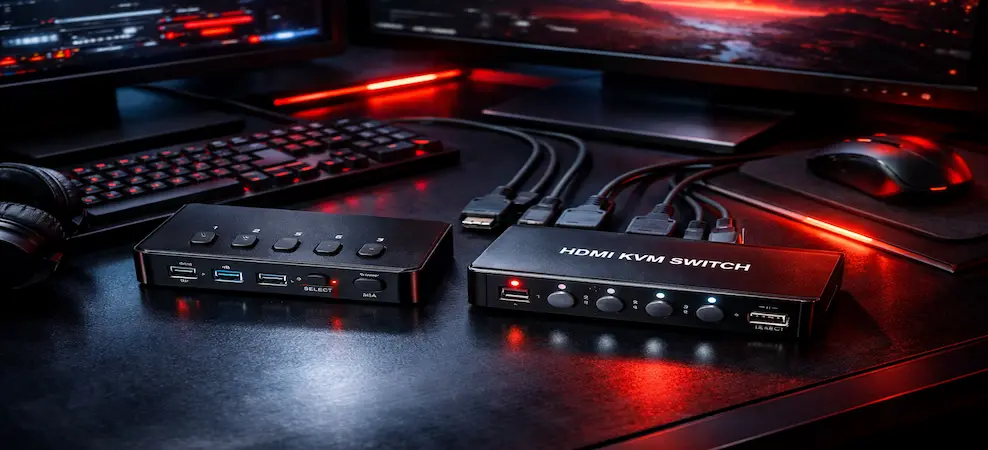
Learn how to choose the right KVM switch for your workspace. Compare USB vs HDMI KVM switches, features, use cases, and buying tips.
Modern workspaces—whether home offices, enterprise IT rooms, or data centers—often rely on multiple computers, servers, or network appliances. Managing all these systems efficiently is where a KVM switch becomes essential. Choosing the right USB KVM switch or HDMI KVM switch can dramatically improve productivity, reduce desk clutter, and simplify IT operations.
This guide explains what a KVM switch is, the difference between USB and HDMI KVM switches, and how to select the right one for your workspace.
What Is a KVM Switch?
A KVM switch (Keyboard, Video, Mouse) allows you to control multiple computers using a single keyboard, monitor, and mouse. Instead of switching cables or desks, you simply toggle between systems using a button, hotkey, or remote interface.
KVM switches are widely used in:
- Home offices
- Corporate workstations
- Network operation centers (NOCs)
- Data centers
- IT labs and server rooms
Why KVM Switches Are Essential in Modern Workspaces
As businesses adopt hybrid work, virtualization, and centralized IT management, KVM switches provide:
- Centralized control of multiple systems
- Reduced hardware clutter
- Improved workflow efficiency
- Lower equipment costs
- Faster troubleshooting and maintenance
For IT teams and professionals, a KVM switch is not a convenience—it’s a productivity tool.
USB KVM Switch Explained
A USB KVM switch is designed primarily for keyboard and mouse sharing across systems that use USB interfaces.
Key Features of USB KVM Switches
- Plug-and-play USB connectivity
- Compatible with Windows, macOS, and Linux
- Affordable and compact
- Ideal for desktops and small offices
Best Use Cases for USB KVM Switches
- Home offices with two or more PCs
- Small business workstations
- Developers switching between systems
- Financial and administrative desks
If your workspace requires basic control without high-resolution video demands, a USB KVM switch is often the most cost-effective solution.
HDMI KVM Switch Explained
An HDMI KVM switch supports both system control and high-definition video output over HDMI.
Key Features of HDMI KVM Switches
- Supports HD and 4K video resolutions
- Crisp image quality for modern monitors
- Ideal for graphic-intensive workflows
- Audio support over HDMI
Best Use Cases for HDMI KVM Switches
- Design and creative studios
- Security monitoring rooms
- Trading floors
- Multi-display professional workstations
If video clarity and resolution matter, an HDMI KVM switch is the better choice.
USB vs HDMI KVM Switch: What’s the Difference?
| FeatureUSB KVM SwitchHDMI KVM Switch | ||
| Primary Focus | Keyboard & Mouse | Keyboard, Mouse & Video |
| Video Support | Limited or external | Full HD / 4K |
| Cost | Lower | Moderate to High |
| Best For | Offices, basic setups | Creative & professional use |
| Scalability | Limited | Better multi-system support |
How to Choose the Right KVM Switch for Your Workspace
1. Number of Systems
Decide how many computers or servers you need to control:
- 2–4 systems: desktop KVM
- 8+ systems: enterprise or datacenter KVM
2. Display Requirements
- Standard office work → USB KVM
- 4K, dual-screen, or visual workloads → HDMI KVM
3. Workspace Type
- Home or SMB → USB or HDMI KVM
- Enterprise IT or datacenter → Advanced or IP-based KVM
4. Operating System Compatibility
Ensure support for:
- Windows
- macOS
- Linux
- Network appliances
5. Future Scalability
Choose a KVM switch that allows:
- Expansion
- Higher resolution support
- Remote access (if needed)
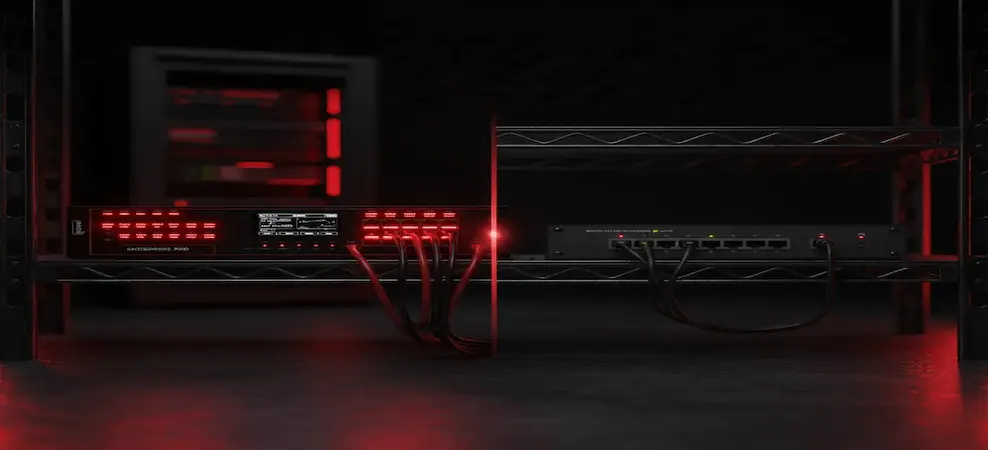
KVM Switches in Enterprise & Datacenter Environments
In larger environments, KVM switches play a critical role in:
- Server management
- Disaster recovery
- Secure console access
- Out-of-band troubleshooting
Datacenter KVM switches often support:
- High port density (16, 32, 64+ ports)
- Rack mounting
- Remote KVM over IP
- Enterprise-grade security
Common KVM Switch Mistakes to Avoid
- Choosing based on price alone
- Ignoring video resolution support
- Underestimating future expansion
- Overlooking OS compatibility
- Skipping enterprise security features
Final Thoughts
Choosing the right USB KVM switch or HDMI KVM switch depends on your workspace needs, video requirements, and long-term scalability. For basic control, USB KVM switches are simple and affordable. For professional environments where display quality matters, HDMI KVM switches deliver superior performance.
A well-chosen KVM switch simplifies workflows, boosts productivity, and future-proofs your workspace—whether you’re a remote professional or managing enterprise infrastructure.
Frequently Asked Questions (FAQs)
What is a KVM switch used for?
A KVM switch allows one keyboard, monitor, and mouse to control multiple computers or servers.
What is the difference between USB and HDMI KVM switches?
USB KVM switches focus on input control, while HDMI KVM switches also support high-resolution video output.
Is an HDMI KVM switch better than a USB KVM switch?
It depends on your needs. HDMI KVM switches are better for visual workloads, while USB KVM switches are ideal for basic setups.
Do KVM switches work with laptops?
Yes, with appropriate adapters or docking solutions.
Are KVM switches secure?
Enterprise-grade KVM switches include encryption and access control for secure environments.
RECENT BLOG POSTS
CATEGORIES
- Laptop Comparisons
- Cisco Switches
- Laptop Comparisons
- Cisco Switches
Contact Us
Send us a Message
Fill out the form below to get started, and a member of our team will contact you as soon as possible