
PoE Switch Buyer’s Guide: Is PoE+ Enough for Wi‑Fi 6 and IP Cameras?
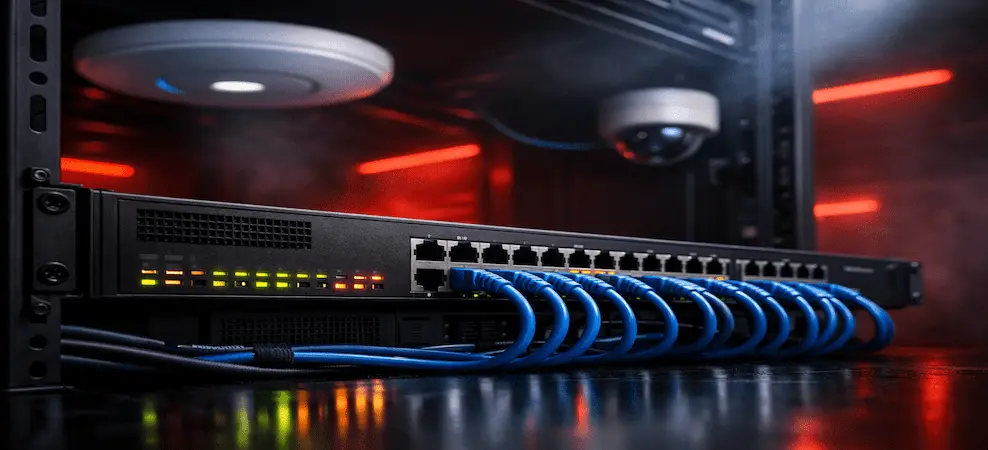
Learn whether PoE+ (30W) is sufficient for Wi‑Fi 6 access points and IP cameras. Compare PoE, PoE+, UPOE and UPOE+ power requirements.
Power over Ethernet (PoE) has become the backbone of modern network deployments, powering devices like Wi‑Fi access points, VoIP phones, security cameras, and Internet of Things (IoT) devices without separate power supplies. But with evolving technologies like Wi‑Fi 6, multigigabit access points, and high‑power security cameras, a key question often arises:
Is PoE+ enough, or do you need higher‑power PoE technologies like UPOE or UPOE+?
In this guide, we’ll break down:
- What PoE standards mean
- How PoE+ compares to UPOE and UPOE+
- Power requirements for Wi‑Fi 6 devices
- Power requirements for security cameras
- How to choose the right poe network switch for your network
PoE+ (30W per port) is generally sufficient for most Wi‑Fi 6 access points and standard security cameras. However, for high‑density Wi‑Fi 6E devices, outdoor cameras, PTZ models, and IoT, UPOE (60W) or UPOE+ (90W) provides needed headroom and future‑proofing.
What Is Power over Ethernet (PoE)?
Definition
Power over Ethernet (PoE) is a set of standards that allows network cabling (Ethernet) to deliver electrical power to devices, eliminating the need for separate power supplies and simplifying installations.
Key PoE standards:
- PoE (802.3af) — up to 15.4W per port
- PoE+ (802.3at) — up to 30W per port
- UPOE (Cisco 802.3bt-like) — up to ~60W per port
- UPOE+ (Cisco enhanced) — up to ~90W per port
Citation Summary:
PoE standards define how much power a switch can deliver per port, which impacts the types of devices it can reliably support.
PoE vs PoE+ vs UPOE vs UPOE+
Below is a simple comparison:
| Standard | Max Power per Port | Typical Devices Supported |
| PoE (802.3af) | ~15.4W | VoIP phones, simple APs |
| PoE+ (802.3at) | ~30W | Wi‑Fi 6 APs, IP cameras |
| UPOE (Cisco) | ~60W | Multigig APs, PTZ cameras |
| UPOE+ (Cisco) | ~90W | Outdoor/PTZ cameras, IoT |
Why this matters:
Higher power means more device capability (multigig speeds, larger antennas, heaters in outdoor cameras).
Is PoE+ Enough for Wi‑Fi 6?
Citation Summary:
For most enterprise Wi‑Fi 6 access point models, PoE+ (30W) delivers sufficient power without requiring higher‑power options.
Typical Wi‑Fi 6 Access Point Power Needs
- Standard Wi‑Fi 6 APs: ~13–25W
- Enterprise Wi‑Fi 6 APs: ~20–30W
Most Wi‑Fi 6 access points are designed to operate comfortably under PoE+ (802.3at).
Example:
Cisco Catalyst Wi‑Fi 6 APs typically draw under 30W, making PoE+ sufficient for most deployments.
When PoE+ Might Not Be Enough
- High‑density Wi‑Fi 6E with multiple radios
- Large antenna arrays
- Outdoor or high‑thermal environments
In these cases, UPOE or UPOE+ provides the extra power required without network redesign.
Is PoE+ Enough for Security Cameras?
Citation Summary:
Security camera power requirements vary significantly, and PoE+ may not be enough for high‑end or outdoor models.
Common Camera Types and Power Needs
| Camera Type | Typical Power Requirement |
| Basic Fixed Camera | ~5–15W |
| PTZ Camera | ~30–60W |
| Outdoor with Heater | ~40–70W |
| Multisensor / Analytics Camera | ~50–90W |
PoE+ (30W)
- Good for fixed security cameras
- Fine for indoor deployments
UPOE (60W)
- PTZ cameras
- Outdoor cameras (limited heaters)
UPOE+ (90W)
- Outdoor cameras with heaters
- Multisensor or advanced analytics cameras
Why this Matters:
Underpowered PoE switches may cause cameras to reboot, drop power, or fail to operate critical features like IR lighting or heaters.
Other PoE Considerations
PoE Budget
Your switch must not only deliver power per port, but it must have enough total PoE budget to support all powered devices.
Example:
If you have 24 APs drawing 25W each, the total power = 600W.
A switch with only 370W PoE budget will fall short.
PoE in Cisco Catalyst Switches
Cisco PoE support varies by platform:
| Series | PoE Support | Typical Use |
| Cisco Catalyst 9200 | PoE+ (30W) | SMB / mid‑size access |
| Cisco Catalyst 9300 | PoE+, UPOE, UPOE+ | Large enterprise access |
| Cisco Catalyst 9500 | PoE via modules | Core/distribution role |
How to Choose the Right PoE Switch
1. Inventory Your Devices
List out:
- Wi‑Fi access points
- Cameras (type + power requirements)
- VoIP phones
- IoT devices
2. Calculate PoE Budget
Add up total power needed and ensure your switch has a higher PoE budget.
3. Choose the Right Switch Series
- Small deployments/office floors: Cisco Catalyst 9200 (PoE+)
- High‑density Wi‑Fi 6E + security cameras: Cisco Catalyst 9300 (UPOE/UPOE+)
4. Plan for Growth
Add 20–30% margin to PoE budget for future devices.
Deployment Scenarios
Scenario 1: Standard Wi‑Fi 6 Wireless Network
- Device types: Wi‑Fi 6 APs (PoE+)
- Best Switch: Catalyst 9200
- PoE Budget: PoE+ sufficient
Scenario 2: High‑Density Campus with PTZ Cameras
- Device types: Wi‑Fi 6E APs, PTZ cameras
- Best Switch: Catalyst 9300 (UPOE+)
- PoE Budget: UPOE+
PoE Switch Buyer’s Checklist
Before purchasing any PoE switch, ensure:
- Sufficient per‑port power
- Adequate total PoE budget
- Compatible uplink speeds (10G / 25G / 40G)
- Support for required network features
- Warranty/support options
Frequently Asked Questions (FAQs)
What is PoE+?
PoE+ (802.3at) delivers up to 30W per port and supports most Wi‑Fi 6 access points and IP cameras.
Do I need UPOE or UPOE+?
Consider UPOE (60W) for high‑power devices like outdoor cameras or multigig Wi‑Fi 6E APs. UPOE+ (90W) is best for the most power‑hungry devices.
Can a PoE switch power all my devices?
Only if its total PoE budget is higher than the sum of all device power requirements.
Are PoE and PoE+ compatible?
Yes. PoE+ switches are backward compatible with PoE devices.
What Cisco switches support PoE+?
Cisco Catalyst 9200 switches support PoE+; Cisco Catalyst 9300 switches support PoE+, UPOE, and UPOE+.
Final Recommendation
For most office and mid‑size wireless deployments, PoE+ is sufficient, especially with Cisco Catalyst 9200 switches. For high‑density Wi‑Fi, outdoor security, and IoT‑heavy networks, consider Cisco Catalyst 9300 switches with UPOE/UPOE+ to ensure power headroom and future expansion.
RECENT BLOG POSTS
CATEGORIES
- Laptop Comparisons
- Cisco Switches
- Laptop Comparisons
- Cisco Switches
Contact Us
Send us a Message
Fill out the form below to get started, and a member of our team will contact you as soon as possible