
Cisco C9800-40-K9 & KVM Switches: Enterprise-Grade Control for Modern IT Infrastructure
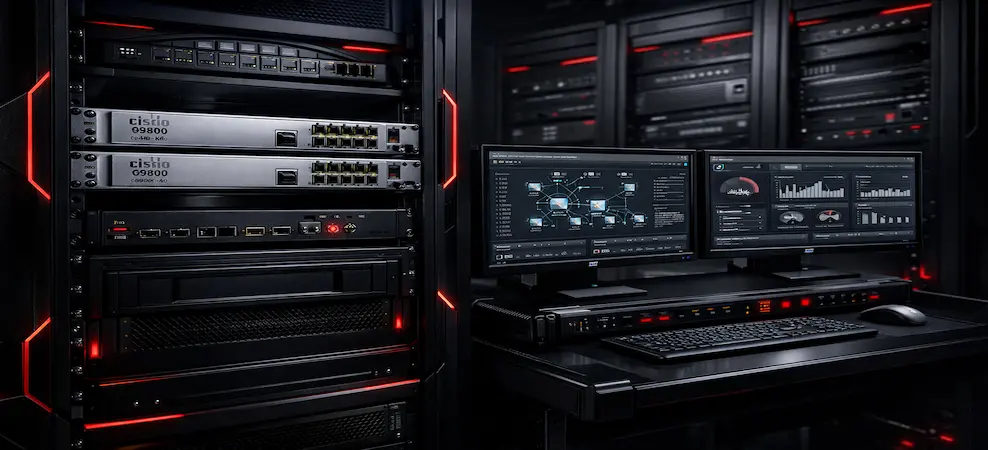
Discover Cisco C9800-40-K9 & KVM switches at ITDBay. High-performance, enterprise-grade networking solutions for modern IT infrastructure.
Modern IT environments demand centralized control, secure access, and operational efficiency. As enterprise networks grow in size and complexity, IT teams rely on a combination of robust wireless controllers and efficient device-management tools to maintain performance and uptime.
The Cisco C9800-40-K9 Wireless LAN Controller and KVM switches serve different but complementary roles in today’s enterprise, campus, and data-center networks. Together, they help organizations manage wireless connectivity, servers, and critical systems with greater reliability and control.
This guide explains what the Cisco C9800-40-K9 is, how KVM switches work, and why both are essential components in modern IT environments while helping buyers make informed decisions.
What Is the Cisco C9800-40-K9?
The Cisco C9800-40-K9 is an enterprise-class wireless LAN controller (WLC) designed to manage large-scale Wi-Fi networks across campuses, offices, and distributed locations. Built on Cisco IOS XE, it provides policy-based security, scalability, and high availability for mission-critical wireless deployments.
Key Capabilities of Cisco C9800-40-K9
- Centralized management of thousands of access points
- Support for Wi-Fi 6 and Wi-Fi 6E environments
- Advanced security and segmentation
- High availability and redundancy
- Seamless integration with enterprise switching and routing infrastructure
The C9800-40-K9 is commonly deployed in large enterprises, universities, hospitals, and government networks where reliability and scalability are non-negotiable.
What Is a KVM Switch?
A KVM switch (Keyboard, Video, Mouse) allows users to control multiple computers or servers from a single keyboard, monitor, and mouse. Instead of maintaining separate peripherals for each system, IT teams can switch control instantly.
What Does a KVM Switch Do?
- Reduces hardware clutter
- Simplifies server and workstation management
- Improves operational efficiency
- Enables secure, centralized access
KVM switches are widely used in data centers, network operations centers (NOCs), security operations centers (SOCs), and professional workspaces.
How Does a KVM Switch Work?
A KVM switch acts as a central hub between multiple systems and a single user console. When you switch inputs (physically or via software), the KVM redirects keyboard, video, and mouse signals to the selected device.
Common KVM Switch Types
- USB KVM Switch – Ideal for office desktops
- Dual Monitor KVM Switch – Used in trading desks, NOCs, and engineering teams
- HDMI KVM Switch – Supports high-resolution displays
- KVM-over-IP Switch – Enables remote access over the network
- Datacenter KVM Switch – Built for high port density and uptime
Why You Need a KVM Switch in Enterprise IT
As environments scale, direct physical access to every server becomes inefficient. KVM switches provide:
- Centralized system control
- Faster troubleshooting
- Reduced downtime
- Improved security
- Lower hardware and operational costs
Even in cloud-first or wireless-heavy environments, KVM switches remain critical for bare-metal servers, network appliances, and legacy systems.
Cisco C9800-40-K9 and KVM Switches: How They Work Together
While the Cisco C9800-40-K9 manages wireless connectivity, KVM switches handle direct system access. In enterprise deployments, both coexist seamlessly.
Example Use Case
- The C9800-40-K9 manages Wi-Fi access points and wireless users across a campus
- KVM switches provide administrators with direct control of:
- Wireless controllers
- Core switches
- Firewalls
- Servers
This combination ensures full visibility and control, even during network outages or maintenance windows.
Buying Intent: Choosing the Right KVM Switch
What Is the Best KVM Switch?
There is no single best KVM switch; it depends on the environment:
| Environment | Recommended KVM |
| Office / Desktop | USB or HDMI KVM switch |
| Dual-Screen Workstations | Dual monitor KVM switch |
| Data Centers | KVM-over-IP switch |
| Remote IT Teams | IP-based KVM switch |
Biggest KVM Port Switch Made in the USA
High-port-density KVM switches (32-port, 64-port, and enterprise modular systems) are commonly used in U.S. data centers, particularly in government, defense, and regulated industries.
Do KVM Switches Still Exist?
Yes, KVM switches are more relevant than ever. Modern versions support:
- High-resolution video
- Secure remote access
- Encryption
- Cloud-managed environments
KVM-over-IP switches, in particular, are essential in modern data centers.
Downsides of KVM Switches
While powerful, KVM switches can have limitations:
- Initial cost for enterprise-grade models
- Learning curve for advanced IP-based systems
- Bandwidth considerations for remote video access
However, these are typically outweighed by the operational benefits.
Network Switching Subsystem (NSS) and Enterprise Architecture
In enterprise design, network switching subsystems handle data flow, while controllers like the C9800-40-K9 manage wireless policies and access. KVM switches operate at the management layer, giving administrators direct system-level control when software access is unavailable.
This layered approach improves resilience, security, and troubleshooting efficiency.
Final Thoughts
The Cisco C9800-40-K9 is a cornerstone of modern enterprise wireless infrastructure, while KVM switches remain indispensable for direct system control. Organizations that deploy both gain greater visibility, faster response times, and long-term scalability.
For enterprises building secure, future-ready IT environments, this combination delivers unmatched operational efficiency.
FAQs - Cisco C9800-40-K9 & KVM Switches
What are KVM switches used for?
They allow centralized control of multiple computers or servers using one keyboard, monitor, and mouse.
What is a KVM switch used for in data centers?
To manage servers efficiently, reduce physical access requirements, and improve uptime.
Do KVM switches still exist?
Yes. Modern enterprises rely heavily on KVM-over-IP solutions.
What is the best KVM switch?
The best option depends on port count, resolution needs, remote access requirements, and environment type.
Why combine Cisco C9800-40-K9 with KVM switches?
Together, they provide wireless control, system access, and operational resilience in enterprise IT environments.
RECENT BLOG POSTS
CATEGORIES
- Laptop Comparisons
- Cisco Switches
- Laptop Comparisons
- Cisco Switches
Contact Us
Send us a Message
Fill out the form below to get started, and a member of our team will contact you as soon as possible