
What Is a Network Switch? Types, Uses & How It Works (2026 Guide)
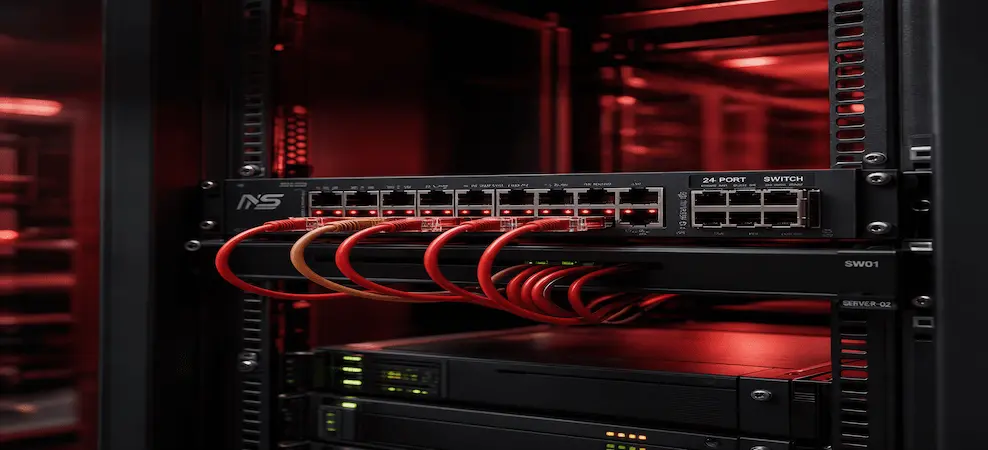
Learn what a network switch is, its types, uses, and how it works. Guide for business and home networks.
A network switch is one of the most important devices in modern networking. It connects multiple devices within a network and allows them to communicate efficiently by directing data to the correct destination.
From small offices to large enterprise data centers, network switches play a critical role in ensuring fast, secure, and reliable connectivity. In this guide, you’ll learn what a network switch is, how it works, the different types available, and how to choose the right one for your needs.
Explore our full range of networking switches and accessories to find solutions for every environment.
What Is a Network Switch?
A network switch is a hardware device that connects computers, servers, and other devices within a local area network (LAN). Unlike older devices like hubs, a switch intelligently forwards data only to the intended device, improving speed and reducing network congestion.
Network switches operate at Layer 2 (Data Link Layer) or Layer 3 (Network Layer) of the OSI model and are essential for efficient communication in modern networks.
How Does a Network Switch Work?
A network switch works by identifying devices using their MAC (Media Access Control) addresses. When data is sent across the network, the switch:
- Receives incoming data packets
- Reads the destination MAC address
- Looks up the address in its internal table
- Sends the data only to the correct port
This process ensures:
- Faster data transmission
- Reduced network traffic
- Improved overall performance
Unlike a hub, which broadcasts data to all devices, a switch sends data only where it is needed.
Types of Network Switches
Different types of network switches are designed to meet various business and networking needs.
1. Managed Network Switches
Managed switches provide advanced control and configuration options such as:
- VLAN (Virtual LAN) setup
- Traffic monitoring
- Security management
- Quality of Service (QoS)
Best for: Enterprises, data centers, and large networks
2. Unmanaged Network Switches
Unmanaged switches are plug-and-play devices that require no configuration.
- Easy to install
- Cost-effective
- Limited features
Best for: Small offices and home networks
3. PoE (Power over Ethernet) Switches
PoE switches deliver power and data through the same Ethernet cable.
- Used for IP cameras, VoIP phones, and access points
- Reduces cable clutter
Best for: Surveillance systems and smart offices
4. Layer 2 vs Layer 3 Switches
- Layer 2 switches → handle data within a local network
- Layer 3 switches → support routing between networks
Layer 3 switches are ideal for enterprise environments needing high performance
What Is a Network Switch Used For?
Network switches are used to connect and manage multiple devices within a network.
Common use cases:
- Office and business networks
- Data centers and server infrastructure
- Industrial and enterprise environments
- Home networking setups
They ensure efficient communication between devices such as:
- Computers
- Servers
- Printers
- Security cameras
- Wireless access points
Network Switch vs Router vs Hub
Understanding the difference between networking devices is important:
| Device | Function |
| Switch | Connects devices within the same network |
| Router | Connects different networks and internet |
| Hub | Broadcasts data to all devices (outdated) |
Switches provide faster and more secure communication compared to hubs.
Benefits of Using a Network Switch
Using a network switch offers several advantages:
- Improved network performance
- Reduced congestion and data collisions
- Better security control (with managed switches)
- Scalability for growing networks
- Efficient data distribution
How to Choose the Right Network Switch
When selecting a network switch, consider the following factors:
Number of Ports
Choose based on your device count (5-port, 8-port, 24-port, etc.)
Speed Requirements
- Gigabit (1Gb) → standard use
- 10Gb → high-performance environments
Managed vs Unmanaged
- Managed → advanced control
- Unmanaged → simple setup
PoE Support
Required for devices like IP cameras and VoIP systems
Scalability
Ensure future expansion support
Browse enterprise networking switches to find high-performance solutions for your setup.
Why Businesses Use Enterprise Network Switches
Enterprise network switches are designed for:
- High traffic handling
- Advanced security features
- Continuous uptime
- Large-scale infrastructure
They are widely used in:
- Corporations
- Data centers
- Cloud environments
Conclusion
A network switch is a fundamental component of any modern network, enabling devices to communicate efficiently and securely. Whether you need a simple unmanaged switch for a small office or an advanced enterprise networking switch for a data center, choosing the right device is essential for performance and scalability.
Shop networking switches and accessories at ITD Bay for reliable, enterprise-grade solutions with fast shipping and expert support.
RECENT BLOG POSTS
CATEGORIES
- Laptop Comparisons
- Cisco Switches
- Laptop Comparisons
- Cisco Switches
Contact Us
Send us a Message
Fill out the form below to get started, and a member of our team will contact you as soon as possible