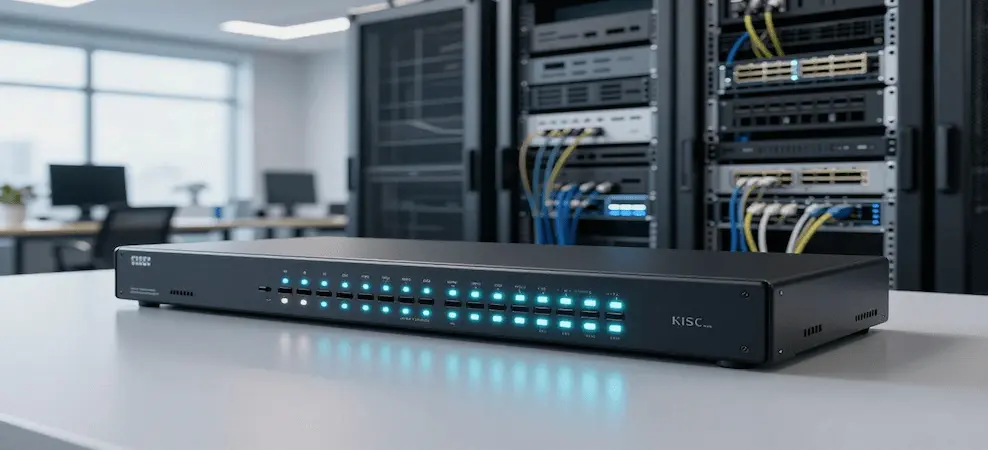
Streamline data center operations with Cisco KVM switches. Manage multiple servers securely from one console with 4K support and enterprise control.
Managing a modern server room can feel like a complex puzzle. Technology leaders always look for ways to make their IT management tasks much simpler and faster. Finding the right tools is the first step toward a productive and stress-free workday.
The cisco kvm switch offers a robust way to control many servers from a single location. This hardware helps technical teams save physical space while keeping all systems running smoothly. It truly serves as a vital asset for any modern enterprise environment.
Effective data center management depends on both reliability and ease of use. By choosing high-quality equipment, you can reduce cable clutter and prevent unnecessary errors. Optimizing your infrastructure begins with centralizing your control and monitoring tools.
These solutions help you maintain maximum uptime without extra hassle. They provide a clear path to better efficiency for your entire IT department.
In modern data centers, KVM (Keyboard, Video, and Mouse) technology plays a crucial role in simplifying IT infrastructure management. KVM technology allows administrators to control multiple servers from a single console, thereby enhancing operational efficiency and reducing the complexity associated with managing numerous servers.
KVM technology has transformed the way data centers operate by providing a centralized management solution. This technology enables IT staff to access and manage servers located in different parts of the data center or even in different geographical locations, all from a single workstation.
Key benefits of KVM technology in data centers include:
The evolution of KVM technology has been significant, moving from basic keyboard, video, and mouse switches to sophisticated solutions that offer advanced features such as remote access and high-resolution video support.
"KVM switches have evolved to meet the demands of modern data centers, providing not just basic switching capabilities but also advanced features like remote access and high-definition video."
KVM switches simplify the management of multiple servers by allowing administrators to control them from a single console. This not only reduces the physical space required for multiple keyboards, monitors, and mice but also decreases the operational complexity associated with managing diverse server environments.
| Feature | Benefit |
| Centralized Management | Simplifies server management and reduces operational overhead |
| Remote Access | Allows IT staff to manage servers from anywhere |
| High-Resolution Support | Enhances the user experience with clear and crisp video |
Enterprises worldwide prefer Cisco KVM switch solutions for their data centers, thanks to their advanced security features and superior technical support. Cisco's KVM switches are designed to meet the demanding needs of modern data centers, offering a robust and reliable infrastructure for managing servers.
Cisco KVM switches are built with enterprise-grade reliability in mind, ensuring that they can handle the most critical operations without failure. These switches undergo rigorous testing to meet high-performance standards, making them suitable for large-scale data centers.
One of the key advantages of Cisco KVM switches is their ability to integrate seamlessly with other Cisco network infrastructure components. This integration enables smooth operations and simplifies the management of complex data center environments.
https://www.youtube.com/watch?v=T0NhdOgeuTg
Cisco KVM switches boast military-grade security features, including advanced encryption capabilities that protect data and prevent unauthorized access. This level of security is crucial for enterprises handling sensitive information.
Cisco provides superior technical support and comprehensive documentation for its KVM switch solutions. This support ensures that enterprises can quickly resolve any issues and maintain optimal performance.
The combination of reliability, integration capabilities, security, and technical support makes Cisco KVM switch solutions the top choice for enterprises. Key benefits include:
Cisco KVM switches offer numerous benefits that can transform the way organizations manage their IT resources. By centralizing control and simplifying infrastructure management, these switches can significantly enhance operational efficiency.
One of the primary advantages of Cisco KVM switches is the ability to manage multiple servers from a single console. This centralized management capability simplifies IT operations by reducing the need to physically access individual servers.
Cisco KVM switches can lead to a dramatic reduction in hardware costs by minimizing the need for multiple keyboards, monitors, and mice. Additionally, they simplify cable management, reducing clutter and improving airflow within data centers.
By providing IT staff with the ability to manage servers more efficiently, Cisco KVM switches can lead to increased productivity and faster response times. This enables IT teams to focus on more strategic tasks.
The reduction in hardware required due to Cisco KVM switches also leads to energy savings and data center space optimization. This is particularly beneficial for organizations looking to reduce their environmental footprint.
Cisco KVM switches facilitate minimized downtime during server maintenance by allowing IT staff to perform tasks remotely. This ensures that critical systems remain available to users.
By deploying Cisco KVM switches, organizations can experience these benefits firsthand, leading to a more efficient, productive, and cost-effective IT infrastructure.
As IT infrastructure becomes increasingly complex, Cisco's array of KVM switch solutions provides a streamlined management approach. The company offers a variety of KVM switch models, each designed to meet specific organizational needs and operational requirements.
Traditional analog KVM switches provide a straightforward solution for local access to servers and other equipment. These switches are ideal for environments where high-resolution video is not a priority, offering a cost-effective method for managing multiple servers from a single console.
Digital KVM switches represent a significant advancement, supporting high-resolution video and providing a more robust solution for data centers and server rooms. These switches enable administrators to manage their infrastructure with greater clarity and precision.
IP-based KVM solutions offer the flexibility of remote management, allowing IT staff to access and control servers from anywhere. This capability is particularly valuable for organizations with distributed teams or those requiring 24/7 monitoring and support.
KVM over IP technology extends the benefits of KVM switching to geographically distributed teams. By enabling remote access to servers over IP networks, this technology facilitates collaboration and ensures that IT operations can be managed efficiently across different locations.

Cisco's diverse range of KVM switch models ensures that organizations can find the perfect solution to meet their specific needs, whether it's for local access, remote management, or supporting geographically distributed teams.
When selecting a Cisco KVM switch, it's crucial to consider the features that will meet your organization's specific needs. A Cisco KVM switch with the right features can significantly enhance your IT infrastructure management, providing a more efficient and streamlined operation.
The port density of a Cisco KVM switch is a critical factor, as it determines how many devices you can connect. Cisco offers KVM switches with port densities ranging from 8 to 64 ports, allowing you to choose the model that best fits your data center or server room requirements. As one IT manager noted,
"The flexibility in port density has been a game-changer for our operations, allowing us to scale as needed."
For organizations requiring high-resolution video, Cisco KVM switches offer 4K video resolution and multi-monitor support. This feature is particularly useful for applications that demand high video quality, such as video editing or graphics design. With 4K resolution, you can enjoy crisp and clear visuals, enhancing your overall user experience.
Cisco KVM switches provide flexible switching methods, including hotkeys and On-Screen Display (OSD) navigation. These features allow users to easily switch between connected devices, improving productivity and reducing the complexity of managing multiple servers.
Cross-platform compatibility is another essential feature of Cisco KVM switches. They support a wide range of operating systems, including Windows, Linux, and Unix, ensuring seamless integration with your existing infrastructure.
Cisco KVM switches also offer cascading capabilities, allowing you to expand your setup as needed. This feature enables you to connect multiple KVM switches together, providing a scalable solution for growing organizations.
To streamline your IT infrastructure, it's essential to choose a Cisco KVM switch that meets your specific needs. This involves a thorough evaluation of your current setup and future requirements.
Begin by assessing your current IT infrastructure. Identify the number of servers, their locations, and the types of devices that need to be connected. This assessment will help you determine the most suitable Cisco KVM switch model for your environment.
Calculate the number of ports you need based on the number of servers and devices you plan to connect. Consider future expansion plans to ensure the chosen KVM switch can accommodate additional devices.
| Port Count | Recommended KVM Switch Model | Scalability |
| 8-16 Ports | Cisco KVM Switch Model A | Supports up to 32 ports with cascading |
| 32-64 Ports | Cisco KVM Switch Model B | Supports up to 128 ports with cascading |
Evaluate your budget and balance it with the performance requirements of your IT infrastructure. Cisco KVM switches offer various features at different price points, so it's crucial to prioritize your needs.
Consider whether you need remote access to your servers. If so, look for a Cisco KVM switch with IP-based KVM capabilities to enable secure remote management.
By carefully considering these factors, you can select a Cisco KVM switch that not only meets your current needs but also scales with your growing IT demands.
To get the most out of your Cisco KVM switch, follow this step-by-step installation guide. A successful installation is crucial for efficient IT management and data center operations.
Before starting the installation, ensure your workspace is well-organized and free from clutter. Gather all necessary cables, including VGA, DVI, or HDMI cables for video connections, and USB or PS/2 cables for keyboard and mouse connections.
Connect the servers to the KVM switch in a specific sequence to avoid confusion. Start by connecting the keyboard, mouse, and monitor to the KVM switch, followed by connecting the servers to the switch using the appropriate cables.
Once the physical connections are complete, power on the KVM switch and configure the initial settings. This includes setting up user accounts, passwords, and access levels to ensure secure access to your servers.
After configuration, test all connections and switching functions to ensure they are working as expected. Verify that you can switch between servers seamlessly and that all peripherals are functioning correctly.
To enhance security, implement robust security protocols such as encryption and secure authentication methods. Configure access controls to limit user access to sensitive areas of your IT infrastructure.
| Security Feature | Description | Benefits |
| Encryption | Protects data transmitted between servers and the KVM switch | Ensures confidentiality and integrity of data |
| Secure Authentication | Verifies user identity before granting access | Prevents unauthorized access to sensitive areas |
| Access Controls | Limits user access based on predefined roles | Reduces risk of insider threats and data breaches |
By following this comprehensive guide, you can ensure a successful Cisco KVM switch installation that meets your IT management needs while maintaining high security standards.
Effective long-term management of a Cisco KVM switch requires a combination of best practices that ensure both performance and security. By implementing these strategies, administrators can optimize their KVM switch's operation and extend its lifespan.
Maintaining detailed documentation and labeling ports is crucial for efficient KVM switch management. This practice helps in quickly identifying connected devices and simplifies troubleshooting processes.
Regularly updating firmware and applying security patches is vital to protect against vulnerabilities and ensure compatibility with the latest technologies. This proactive approach helps in preventing potential security breaches.
Implementing a structured access control system is essential for securing your KVM switch. By defining user roles and permissions, you can limit access to authorized personnel, thereby enhancing security.
Regular maintenance and continuous performance monitoring are key to identifying and resolving issues before they become critical. This includes checking for cable integrity, monitoring system logs, and performing diagnostic tests.

By following these best practices, organizations can ensure their Cisco KVM switch operates efficiently and securely over the long term.
The versatility of Cisco KVM switches makes them suitable for a wide range of applications, from data centers to educational institutions. These switches provide efficient and reliable management of IT infrastructure, making them an essential tool in various industries.
In data centers, Cisco KVM switches enable administrators to manage multiple servers from a single console, enhancing operational efficiency and reducing downtime. This centralized management capability is crucial for mission-critical data center operations where every minute counts.
Cisco KVM switches are also beneficial in high-density server room environments, where they help in managing a large number of servers efficiently. This leads to improved productivity and reduced operational complexity.
Network Operations Centers (NOCs) that require continuous monitoring benefit significantly from Cisco KVM switches. These switches provide seamless remote access and control, ensuring that NOC teams can respond quickly to any issues.
In broadcast facilities and command control rooms, Cisco KVM switches play a vital role in managing complex IT infrastructures. Their reliability and high-performance capabilities make them ideal for these demanding environments.
Educational institutions and research labs also benefit from Cisco KVM switches by gaining efficient management of their IT resources. This enables them to focus on research and educational activities without being hindered by IT management complexities.
Understanding how to troubleshoot common KVM switch challenges is crucial for maintaining operational efficiency. Cisco KVM switches are designed to streamline IT management, but like any complex technology, they can sometimes present issues that need to be addressed.
Video quality issues can often be resolved by checking the cable connections and ensuring that the KVM switch supports the required resolution. Updating the firmware to the latest version can also help in resolving such problems.
Synchronization issues with keyboards and mice can be frustrating. Ensuring that the devices are properly connected and that the KVM switch is configured correctly can often resolve these issues. Resetting the KVM switch to its default settings may also be necessary in some cases.
Port connectivity issues can be due to faulty cables or incorrect configuration. Checking the connections and ensuring that the devices are properly powered on can help. As one expert notes,
"A well-maintained KVM switch infrastructure is key to preventing connectivity issues."
Authentication issues can often be resolved by verifying user credentials and ensuring that the KVM switch is properly configured for remote access. Checking the network connection and firewall settings is also crucial.
By addressing these common challenges, users can ensure that their Cisco KVM switch operates smoothly and efficiently, maintaining the high level of performance required for critical IT operations.
Efficient IT management is crucial for organizations to stay competitive in today's fast-paced digital landscape. As discussed throughout this article, Cisco KVM switches play a vital role in achieving this efficiency by providing a centralized and secure way to manage multiple servers from a single console.
By deploying Cisco KVM switches, organizations can significantly reduce operational complexity, lower hardware costs, and increase IT staff productivity. The robust security features and high-performance capabilities of these switches make them an ideal solution for mission-critical data centers and high-density server room environments.
In IT management, having the right tools is essential for success. Cisco KVM switches have proven to be a valuable asset for organizations seeking to optimize their IT operations. As you consider your IT infrastructure needs, a Cisco KVM switch is definitely worth considering for its ability to streamline your management processes and improve overall efficiency.
With its comprehensive range of features and benefits, the Cisco KVM switch stands out as a top choice for organizations looking to enhance their IT management capabilities. By investing in this technology, you can take a significant step towards achieving more efficient, secure, and reliable IT operations.
A Cisco KVM switch allows administrators to manage dozens or even hundreds of servers from a single keyboard, video monitor, and mouse. By providing centralized control, it eliminates the need to move between physical racks, which significantly reduces operational complexity and speeds up response times during critical maintenance windows.
Yes! One of the primary advantages of choosing Cisco is the seamless integration with the broader Cisco Network Infrastructure. These switches are designed to work harmoniously with Cisco UCS Manager, ensuring that your hardware management remains consistent with your networking standards and enterprise-grade reliability.
Security is a top priority for Cisco. Their IP-based KVM solutions utilize military-grade encryption, including AES-256 bit encryption, to protect data transmissions. Additionally, they support advanced authentication protocols like LDAP, RADIUS, and Active Directory to ensure only authorized IT personnel can access sensitive server BIOS settings.
Absolutely. By deploying a Cisco KVM switch, you achieve a dramatic reduction in hardware costs because you no longer need individual consoles for every server. This also leads to better cable management, less heat generation, and significant energy savings, contributing to a more sustainable and cost-effective data center.
Traditional analog KVM switches are designed for local access, requiring the user to be physically near the switch. In contrast, KVM over IP technology allows geographically distributed teams to manage servers from anywhere in the world via a secure web browser or client software, making it ideal for remote management of global infrastructures.
Yes, many modern digital KVM switches from Cisco support 4K video resolution and multi-monitor support. This is particularly useful in environments like broadcast facilities or command control rooms where visual clarity and high-definition detail are essential for monitoring performance.
Cisco KVM switches offer broad cross-platform compatibility. They work flawlessly across Microsoft Windows, Red Hat Linux, Ubuntu, Unix, and even Oracle Solaris. This ensures that your IT staff can manage a heterogeneous environment without worrying about hardware-level recognition failures.
Cisco provides a variety of port density options, typically ranging from 8 to 64 ports. For organizations requiring even more scale, these switches often feature cascading capabilities, allowing you to link multiple switches together for virtually unlimited expansion as your server room grows.
To ensure peak performance, we recommend scheduling regular firmware updates and security patches provided by Cisco Technical Support. Additionally, establishing a user access hierarchy and maintaining a strict port labeling system will help your team stay organized and prevent unauthorized configuration changes.
Most mouse synchronization issues can be fixed by adjusting the mouse acceleration settings within the host operating system or using the On-Screen Display (OSD) to auto-sync. For video quality challenges, ensuring you are using high-quality Cat5e/6 integrated cables and checking the refresh rate settings on your Cisco KVM will usually resolve the distortion.
The installation process is straightforward if you follow a proper connection sequence. Start by preparing your workspace, connecting your servers using the correct interface cables, and then configuring the initial settings via the console. Cisco’s detailed documentation provides a step-by-step guide to help you implement security protocols and user accounts during the first run.
Fill out the form below to get started, and a member of our team will contact you as soon as possible