
Uninterruptible Power Supply (UPS): Complete Enterprise & Server Power Protection Guide
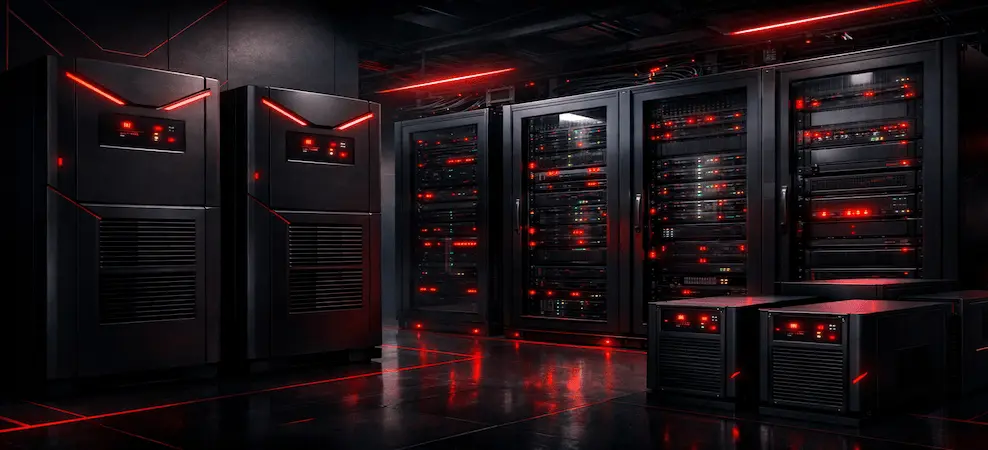
Comprehensive guide to uninterruptible power supply (UPS) systems for enterprise and server environments, including types, features, and deployment best practices.
What Is an Uninterruptible Power Supply (UPS)?
An uninterruptible power supply (UPS) is a device that provides instant backup power when utility power fails or becomes unstable. Unlike generators, which take time to start, a UPS switches to battery power within milliseconds, ensuring uninterrupted operation of connected equipment.
Core Functions of a UPS
- Provides emergency power during outages
- Regulates voltage and protects against surges
- Prevents data corruption and hardware failure
- Allows safe shutdown of servers and systems
UPS systems are commonly used in:
- Data centers
- Enterprise networks
- Server rooms
- Telecom infrastructure
- Healthcare and financial institutions
Why UPS Systems Are Critical for Enterprise & Servers
For enterprise environments, power continuity is non-negotiable. Even a short outage can result in:
- Corrupted databases
- Network downtime
- Lost transactions
- SLA violations
- Permanent equipment damage
An enterprise UPS system ensures business continuity, protecting both IT assets and operational integrity.
Key Benefits for Businesses
- Zero-interruption power supply
- Clean, stable electrical output
- Reduced maintenance and repair costs
- Improved uptime and reliability
- Scalable power protection as infrastructure grows
Types of UPS Systems Explained
Understanding UPS topology is essential when choosing the right solution.
1. Standby (Offline) UPS
This is the most basic UPS type, typically used for home or small office computers.
Best for: PCs, home offices
Limitations: No voltage regulation, brief transfer delay
2. Line-Interactive UPS
A line-interactive UPS continuously regulates voltage using an automatic voltage regulator (AVR). It corrects minor power fluctuations without switching to the battery, extending battery life.
Best for:
- Small to mid-size servers
- Network switches and routers
- Branch offices
Advantages:
- Better voltage regulation
- Cost-effective
- Improved battery lifespan
3. Online UPS Systems (Double-Conversion)
Online UPS systems provide the highest level of protection. Incoming AC power is converted to DC and then back to clean AC power, isolating equipment from all power disturbances.
Best for:
- Data centers
- Enterprise servers
- Mission-critical applications
Advantages:
- Zero transfer time
- Complete power isolation
- Maximum reliability
UPS Form Factors: Tower vs Rack-Mount
Tower UPS for Server Environments
A tower UPS for server installations is ideal where rack space is limited or unavailable.
Use cases:
- Small server rooms
- Edge computing locations
- SMB environments
Rack-Mount UPS
Designed to fit standard 19-inch racks, rack-mount UPS units are common in data centers and enterprise IT environments.
Enterprise UPS Systems: Modular & Scalable Power
An enterprise UPS system is designed for scalability, redundancy, and long-term growth. Modular UPS architectures allow organizations to add or replace power and battery modules without downtime.
Why Enterprises Choose Modular UPS
- Hot-swappable components
- Redundant power paths
- Easy runtime expansion
- Reduced maintenance downtime
Featured Enterprise Solution: APC Symmetra LX & SYBT5FR Battery Module
The APC Symmetra LX Modular UPS System is a leading enterprise solution designed for scalable, fault-tolerant power protection.
The APC SYBT5FR is a flame-retardant battery module specifically designed for Symmetra LX systems, extending runtime while maintaining safety and reliability.
Key Advantages of APC SYBT5FR
- Flame-retardant battery design
- Hot-swappable for zero downtime
- Scalable runtime expansion
- Optimized for enterprise environments
Comparison Table: UPS Types
| Feature | Standby UPS | Line-Interactive UPS | Online UPS Systems |
| Transfer Time | 2–10 ms | 2–4 ms | 0 ms |
| Voltage Regulation | No | Yes | Yes |
| Battery Usage | High | Moderate | Continuous |
| Power Conditioning | Basic | Advanced | Maximum |
| Ideal Use | Home/PC | SMB, servers | Enterprise, data centers |
| Cost | Low | Medium | High |
Comparison Table: UPS by Use Case
| Use Case | Recommended UPS Type |
| Home PC | Standby UPS |
| Network Closet | Line-Interactive UPS |
| Small Server Room | Line-Interactive / Online |
| Enterprise Server | Online UPS System |
| Data Center | Modular Online UPS |
Comparison Table: Tower UPS vs Rack-Mount UPS
| Feature | Tower UPS | Rack-Mount UPS |
| Installation | Floor-standing | Rack-mounted |
| Space Efficiency | Moderate | High |
| Scalability | Limited | High |
| Best For | SMB, edge | Data centers, enterprises |
How Long Will a UPS Keep a Computer or Server Running?
UPS runtime depends on:
- Battery capacity
- Connected load (watts)
- Number of battery modules
Typical Runtime Examples
- Desktop PC: 10–30 minutes
- Small server: 5–20 minutes
- Enterprise UPS with battery modules: 30 minutes to several hours
Modular systems like APC Symmetra LX with SYBT5FR batteries allow runtime expansion without downtime.
What Should You Not Plug into a UPS?
To avoid overload and damage, do not connect:
- Space heaters
- Microwaves
- Printers with heating elements
- Refrigerators
- Air conditioners
UPS systems are designed for IT and electronic equipment, not high-draw appliances.
How to Choose the Right UPS for Your Business
1. Calculate Power Requirements
Add the wattage of all connected devices and include a growth margin.
2. Select the Right UPS Type
- Line-interactive for cost-effective protection
- Online UPS systems for critical loads
3. Consider Scalability
Choose modular enterprise UPS systems if future expansion is expected.
4. Evaluate Battery Runtime
Ensure sufficient runtime for safe shutdown or generator startup.
Final Thoughts: Investing in Reliable Power Protection
A high-quality uninterruptible power supply UPS is not an expense. It’s an investment in uptime, data integrity, and business continuity.
Whether you need a tower UPS for server deployment, a line-interactive UPS for networking gear, or a modular enterprise UPS system like APC Symmetra LX with SYBT5FR battery modules, choosing the right solution protects your infrastructure today and scales for tomorrow.
Frequently Asked Questions (FAQs)
What is an uninterruptible power supply (UPS)?
A UPS is a power protection device that provides instant battery power and voltage regulation during power failures or disturbances.
What are the three main types of UPS?
The three types are:
- Standby (Offline)
- Line-Interactive
- Online (Double-Conversion)
How long can a UPS run a server?
Runtime ranges from minutes to hours, depending on load and battery configuration. Enterprise systems allow runtime extension through additional battery modules.
Is an online UPS better than a line-interactive UPS?
Yes, online UPS systems provide the highest level of protection, but they are more expensive and typically used in mission-critical environments.
Can a UPS replace a generator?
No. A UPS provides immediate short-term power, while generators provide long-term backup once started.
Why are modular UPS systems better for enterprises?
They allow scalability, redundancy, hot-swap maintenance, and reduced downtime.
Where to Buy Enterprise UPS Systems Online
ITDBAY offers a wide selection of enterprise-grade UPS systems, battery modules, and power accessories for professional IT environments.
RECENT BLOG POSTS
CATEGORIES
- Laptop Comparisons
- Cisco Switches
- Laptop Comparisons
- Cisco Switches
Contact Us
Send us a Message
Fill out the form below to get started, and a member of our team will contact you as soon as possible