
Gaming Performance: SSD vs HDD — Loading Times, FPS Impact & Best Storage for Modern Games
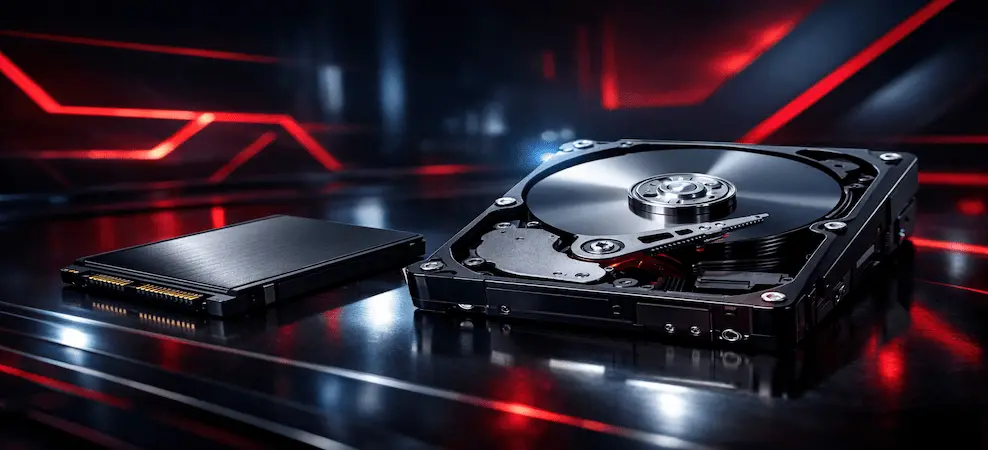
Discover SSD vs HDD gaming performance, load times, FPS impact, and find the best storage for modern games.
Introduction: SSD vs HDD for Gaming
When upgrading or building a gaming PC, the choice between SSD vs HDD is one of the most important decisions. Many gamers ask, "Is SSD really better than HDD?" or "Is a 256GB SSD better than a 1TB hard drive?" While storage capacity matters, the speed and performance of your storage drive directly impact loading times, game responsiveness, and overall experience.
This article explores the differences between SSDs and HDDs, their impact on gaming performance, external storage options, lifespan, and the best storage setups for modern games. It is designed to help gamers, content creators, and PC enthusiasts make an informed decision while optimizing for search traffic and conversion.
What Is an SSD vs HDD?
SSD (Solid State Drive)
An SSD stores data on flash memory modules with no moving parts.
Key features:
- Fast read/write speeds
- Quieter and cooler operation
- Excellent random access speeds for game assets
- Efficient power consumption
Common types include SATA SSDs, NVMe SSDs, and external SSDs. NVMe drives provide the fastest performance with read/write speeds up to 7000 MB/s.
HDD (Hard Disk Drive)
HDDs store data on spinning magnetic platters with a read/write arm.
Key features:
- Large storage capacities at a lower cost per GB
- Mechanical components limit speed
- Noisy and more prone to physical damage
HDDs remain cost-effective for bulk storage but are slower for gaming and system performance.
HDD Platter Rotation Speed vs SSD Electronic Circuits
HDD Platter Rotation Speed
The speed of an HDD is determined by its RPM (rotations per minute):
| RPMTypical Use Case | |
| 5,400 | Laptops, portable drives |
| 7,200 | Standard desktop HDDs |
| 10,000 | High-performance enterprise drives |
Higher RPM increases read/write speed but cannot match the instantaneous access of SSDs.
SSD Electronic Circuits
SSDs operate using electronic circuits and memory chips rather than mechanical parts.
Advantages:
- Near-instant access to data
- No seek times
- Superior performance for random reads
This is why SSDs consistently outperform HDDs in loading games, operating systems, and streaming assets.
Loading Times: SSD vs HDD for Gaming
Loading times are one of the most noticeable differences between SSDs and HDDs. Modern AAA games can exceed 100GB, and storage speed directly affects game startup and level load times.
| Storage TypeAverage Load Time | |
| HDD | 30–60+ seconds |
| SATA SSD | 10–25 seconds |
| NVMe SSD | 5–10 seconds |
Games with large, open worlds, such as Cyberpunk 2077 or Starfield, benefit the most from SSDs, reducing stutters and improving gameplay flow.
FPS Impact: Does Storage Affect FPS?
While storage speed does not directly increase FPS, it affects perceived performance:
- Slow HDDs may cause texture pop-in or temporary stuttering
- SSDs provide smooth streaming of game assets
- Actual FPS is governed by GPU and CPU, not storage
In other words, SSDs improve responsiveness and smooth gameplay, even if the FPS counter remains unchanged.
External SSD vs External HDD
External drives are often used for consoles, laptops, or backups.
External HDD:
- Large storage capacity
- Lower cost per GB
- Slower load times
- Less ideal for direct gaming
External SSD:
- Fast load times and game installs
- Durable and portable
- Higher cost per GB
Recommendation: Use external SSDs for active games and external HDDs for backups or media storage.
Is a 256GB SSD Better Than a 1TB HDD?
The answer depends on your priorities.
Speed-focused gaming setup: 256GB SSD is better.
- Faster load times
- Smoother gameplay
- Excellent for system and essential games
Storage-focused setup: 1TB HDD is better.
- More space for games and media
- Lower cost
Optimal setup: Use a 256GB+ SSD for operating system and frequently played games and a 1TB+ HDD for bulk storage.
Which Is Better: SSD or HDD?
| FeatureSSDHDD | ||
| Loading Times | Excellent | Slow |
| Price per GB | Expensive | Affordable |
| Durability | High | Moderate |
| Noise | Silent | Noisy |
| Lifespan | Long (no moving parts) | Good (mechanical wear) |
Recommendation: SSDs are the best choice for gaming performance, while HDDs are better for budget-friendly bulk storage.
SSD Lifespan vs HDD Lifespan
SSD Lifespan:
- Measured in Total Bytes Written (TBW)
- No moving parts, less wear
- Typically lasts several years under normal gaming use
HDD Lifespan:
- Limited by mechanical wear and tear
- Susceptible to shocks and vibration
- Often fails faster under heavy usage than SSDs
Modern SSDs generally outlast HDDs in gaming scenarios.
Disadvantages of SSD vs HDD
SSD Disadvantages:
- Higher cost per GB
- Limited maximum capacity for budget-friendly models
- Possible wear over time with heavy write operations
HDD Disadvantages:
- Slow read/write speeds
- Mechanical failures are more common
- Noisy operation
- Longer load times for games and applications
Cold Storage: SMR Drive vs SSD
SMR Drives (Shingled Magnetic Recording HDDs):
- Designed for large, sequential storage
- Not ideal for frequent random access or gaming
SSD for cold storage:
- Faster but more expensive
- Better for backups requiring quick access
Recommendation: Use SSDs for active gaming data and SMR drives for archival or backup storage.
How to Recover Data from a Damaged SSD vs HDD
HDD Data Recovery:
- Possible if the platters and read/write heads are intact
- Tools like Recuva and TestDisk can help
- Professional recovery is needed for mechanical failures
SSD Data Recovery:
- More complex due to encryption and wear-leveling
- Requires specialized recovery services
- Frequent backups are the best preventive measure
Best Storage Setup for Gaming in 2026
Entry-Level Gaming PC:
- 500GB SATA SSD
- 1TB HDD for extra storage
Mid-Range Gaming PC:
- 1TB NVMe SSD
- 2TB HDD for backups
High-End Gaming PC:
- 2TB NVMe SSD
- 4–8TB HDD for archives
Console Users:
- Internal SSD (built-in)
- External NVMe or SATA SSD for additional game installs
Key point: Keep your installed games on SSDs for optimal performance.
Conclusion
When comparing SSD vs HDD for gaming, SSDs are the clear winner for performance. Faster loading times, smoother gameplay, and higher durability make SSDs essential for modern gaming rigs. HDDs still offer value for large, affordable storage, but they cannot match the speed and efficiency of SSDs.
For gamers and content creators, investing in an SSD ensures your system is ready for today’s demanding AAA titles and future games. Combining SSDs with HDDs for bulk storage provides the best balance between speed, capacity, and cost.
Frequently Asked Questions (FAQs)
Q: Which is better SSD or HDD for gaming?
A: SSDs offer faster load times and smoother gameplay, while HDDs are cheaper and provide larger storage capacity.
Q: SSD vs HDD loading times — what is the difference?
A: SSDs are 2–10 times faster than HDDs for loading levels, assets, and the operating system.
Q: Does SSD increase FPS?
A: No, FPS depends on GPU and CPU, but SSDs reduce stutter and improve game responsiveness.
Q: Is a 256GB SSD better than a 1TB HDD?
A: Yes for speed, but no for storage space. A combination of SSD + HDD is ideal.
Q: Which lasts longer — SSD or HDD?
A: SSDs typically last longer due to no moving parts, though both can last several years.
Q: What are the disadvantages of SSD over HDD?
A: Higher cost per GB and limited capacity for budget-friendly models.
Q: External SSD vs HDD — which is better for gaming?
A: External SSDs are better for active games, while HDDs are suitable for backups and media storage.
RECENT BLOG POSTS
CATEGORIES
- Laptop Comparisons
- Cisco Switches
- Laptop Comparisons
- Cisco Switches
Contact Us
Send us a Message
Fill out the form below to get started, and a member of our team will contact you as soon as possible